
Logitech MK470 Slim Wireless Combo Review: Is It the Right Keyboard & Mouse for You?
If your desk feels cluttered, your keyboard is loud, or you are tired of changing batteries every few weeks, it may be time for an upgrade. The Logitech MK470 Slim Wireless Combo is one of the most popular keyboard-and-mouse sets for home and office use, and for good reason. In this buying guide we look at its design, typing comfort, battery life, connectivity and value, so you can decide whether it is the right combo for you.
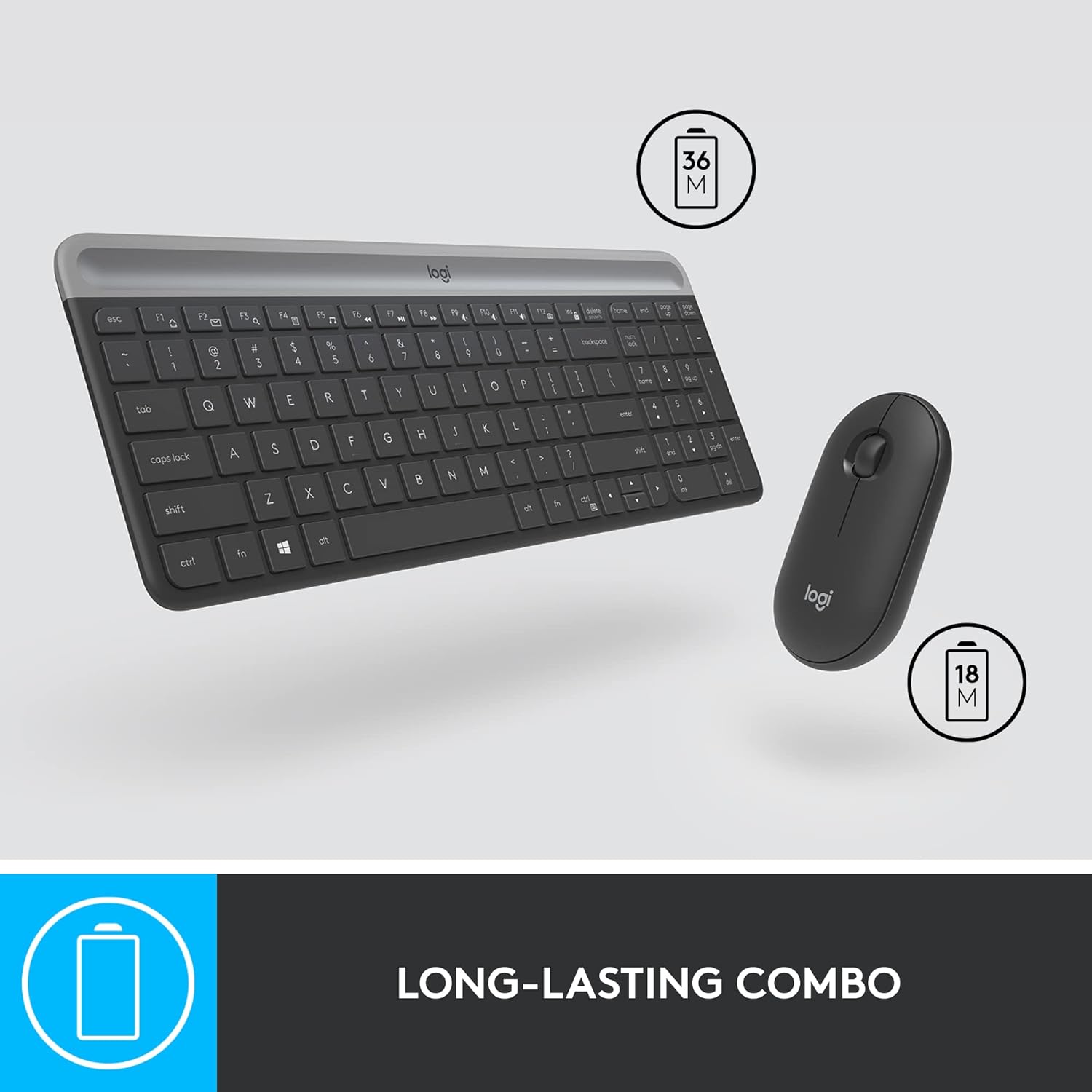
Logitech MK470 at a Glance
- Type: Wireless keyboard + mouse combo
- Connection: 2.4 GHz wireless via a single USB nano receiver (plug-and-play)
- Wireless range: Up to 10 metres
- Keyboard: Full-size, low-profile layout with number pad and shortcut keys
- Mouse: Ambidextrous, quiet clicks, 1000 DPI optical tracking
- Battery life: Up to 36 months (keyboard) and 18 months (mouse)
- Batteries: Keyboard 2 × AAA, mouse 1 × AA (included)
- Works with: Laptops, desktop PCs and other devices with a USB port
- Model number: 920-009183
For the complete technical specifications, see the official Logitech MK470 product page.
Design: Slim, Minimal and Space-Saving
The first thing you notice about the MK470 is how thin it is. The keyboard has an ultra-slim profile with rounded edges and a clean matte finish, yet it still gives you a full-size layout including a number pad. That makes it a great choice for accountants, students and anyone who works with numbers, without taking over your whole desk.
The mouse matches the keyboard’s modern look. It is compact, lightweight and ambidextrous, so it feels comfortable whether you are right- or left-handed. The combo is available in Graphite and Off-White, so you can pick the colour that suits your workspace.
Typing and Clicking: Quiet Enough for Any Room
Noise matters, especially if you work in a shared office, attend video calls or study late at night while others sleep. The MK470’s low-profile keys give a soft, responsive feel with much less clatter than a traditional keyboard. The mouse also has quiet clicks, so you can work through emails, spreadsheets and documents without disturbing anyone around you.
Thanks to smooth key travel and a comfortable typing angle, long writing sessions feel natural, and the 1000 DPI optical sensor on the mouse gives precise, reliable control for everyday work, browsing and light photo editing.
Battery Life: Set It and Forget It
This is where the MK470 really stands out. Logitech rates the keyboard for up to 36 months and the mouse for up to 18 months of battery life, helped by an automatic sleep mode that saves power when you are not using them. Batteries are included in the box, so you can start working straight away. In practice, that means you can go years without thinking about replacing the keyboard’s batteries.
Connectivity: True Plug-and-Play
Setup could not be simpler. Plug the tiny USB nano receiver into your laptop or PC and both the keyboard and mouse connect instantly, with no software to install. The 2.4 GHz wireless connection is stable and responsive, with a range of up to 10 metres, so you can even use it from across the room when connected to a smart TV or media PC.
Pros and Cons
What we like
- Sleek, ultra-slim design that saves desk space
- Full-size keyboard with number pad
- Quiet typing and quiet mouse clicks
- Outstanding battery life (up to 36 / 18 months)
- Instant plug-and-play setup with one USB receiver
- Lightweight and easy to carry for hybrid work
- Made by Logitech, a trusted global brand
Things to consider
- No backlit keys, so typing in a dark room is harder
- Uses a USB receiver rather than Bluetooth, so it needs a free USB port (or an adapter for USB-C-only laptops)
- The compact mouse may feel small for users with very large hands
Who Should Buy the Logitech MK470?
- Work-from-home professionals who want a tidy, wire-free desk
- Office users in shared spaces who need quiet typing
- Students who need a full keyboard with a number pad for assignments and projects
- Laptop users who want a more comfortable typing setup at home
- Anyone looking for a reliable Logitech combo that lasts for years on one set of batteries
Frequently Asked Questions
Does the Logitech MK470 need any software?
No. Just plug in the USB receiver and it works instantly.
Are batteries included?
Yes. The keyboard uses 2 AAA batteries and the mouse uses 1 AA battery, and they come in the box.
Does the keyboard have a number pad?
Yes. Despite its slim design, the MK470 has a full-size layout with a number pad and shortcut keys.
Can left-handed users use the mouse?
Yes. The mouse has an ambidextrous design that is comfortable in either hand.
What is the wireless range?
Up to 10 metres using the 2.4 GHz USB nano receiver.
Final Verdict
The Logitech MK470 Slim Wireless Combo gets the essentials right: a stylish slim design, quiet typing, a full-size layout, simple plug-and-play setup and battery life measured in years rather than weeks. If you want a dependable keyboard and mouse that makes your desk look and feel better, it is one of the best-value choices available today.
Ready to upgrade your workspace? Buy the authentic Logitech MK470 Slim Wireless Combo on Shoppinghighway.in and check out our latest offer price.